Themes
Themes
Install, use and remove themes.
A theme is a folder containing a manifest and stylesheet. It can change Yapper, the yapmod settings and dialogs. System notifications keep their normal system look.
Where themes live
Installed themes live here:
| Platform | Themes folder |
|---|---|
| macOS | ~/Library/Application Support/io.ilyeshdz.yapmod/themes |
| Windows | %APPDATA%\io.ilyeshdz.yapmod\themes |
| Linux | ~/.config/io.ilyeshdz.yapmod/themes |
Use Open folder in the theme settings to open it in your file manager.
Installing a theme
A theme is a folder. You can install it in either of these ways.
- Import it. Press Import theme in the settings and pick the folder of the theme in the file dialog. The folder is copied into the themes folder for you. If a theme with the same id is already installed, remove it first.
- Put it in the themes folder. Copy the folder of the theme into the themes folder, then press Refresh. The theme shows up in the gallery right away.
Themes you import yourself are loaded from this folder. You can also browse and install reviewed community themes from the Community tab; see Community themes.
Using a theme
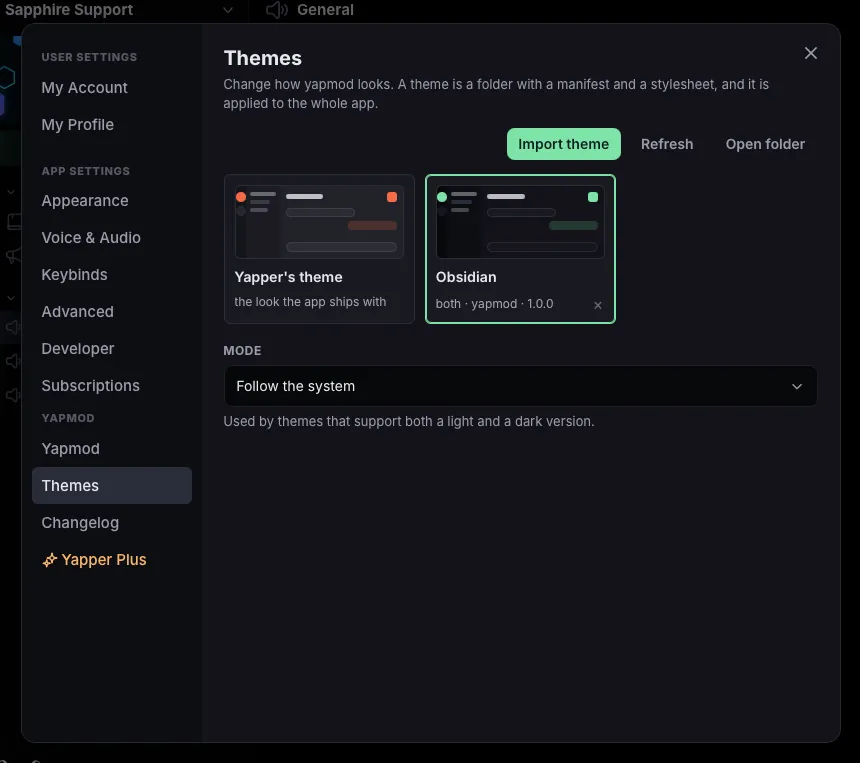
Settings → Themes holds the gallery.
- Pick one to apply it. The change is immediate, and it is remembered.
- Remove one with the × on its card to delete it from your themes folder.
Use Import theme, Refresh and Open folder to manage the gallery. Mode lets a theme with light and dark variants follow your system or stay on one mode.
Theme tokens
Theme authors can use these tokens instead of targeting individual elements:
| Token | What it colours |
|---|---|
--ym-bg-rail |
The narrow strip on the far left |
--ym-bg-side |
The sidebar next to it |
--ym-bg-main |
The chat and the pages |
--ym-bg-elev |
Cards, panels and menus |
--ym-bg-hover, --ym-bg-active |
Hovered and selected rows |
--ym-bg-input |
Input fields |
--ym-bg-float |
Popovers and floating windows |
--ym-text |
The text itself |
--ym-text-muted, --ym-text-faint |
Secondary and faint text |
--ym-border |
Hairlines and outlines |
--ym-accent, --ym-accent-hover, --ym-accent-soft |
The accent colour |
--ym-on-accent |
Text on the accent colour |
--ym-danger, --ym-success, --ym-warning |
The semantic colours |
--ym-radius |
How round corners are |
--ym-shadow |
The shadow of floating elements |
--ym-brand, --ym-brand-2, --ym-brand-3 |
The colours of the yapmod logo and the release banner |
--ym-brand-soft, --ym-brand-hover |
The soft and hover shades of the brand colour |
Yapper’s new look is disabled while a theme is active. Switch back to Yapper’s theme to restore it.
Writing a theme
Creating a theme covers the format and includes an example.